
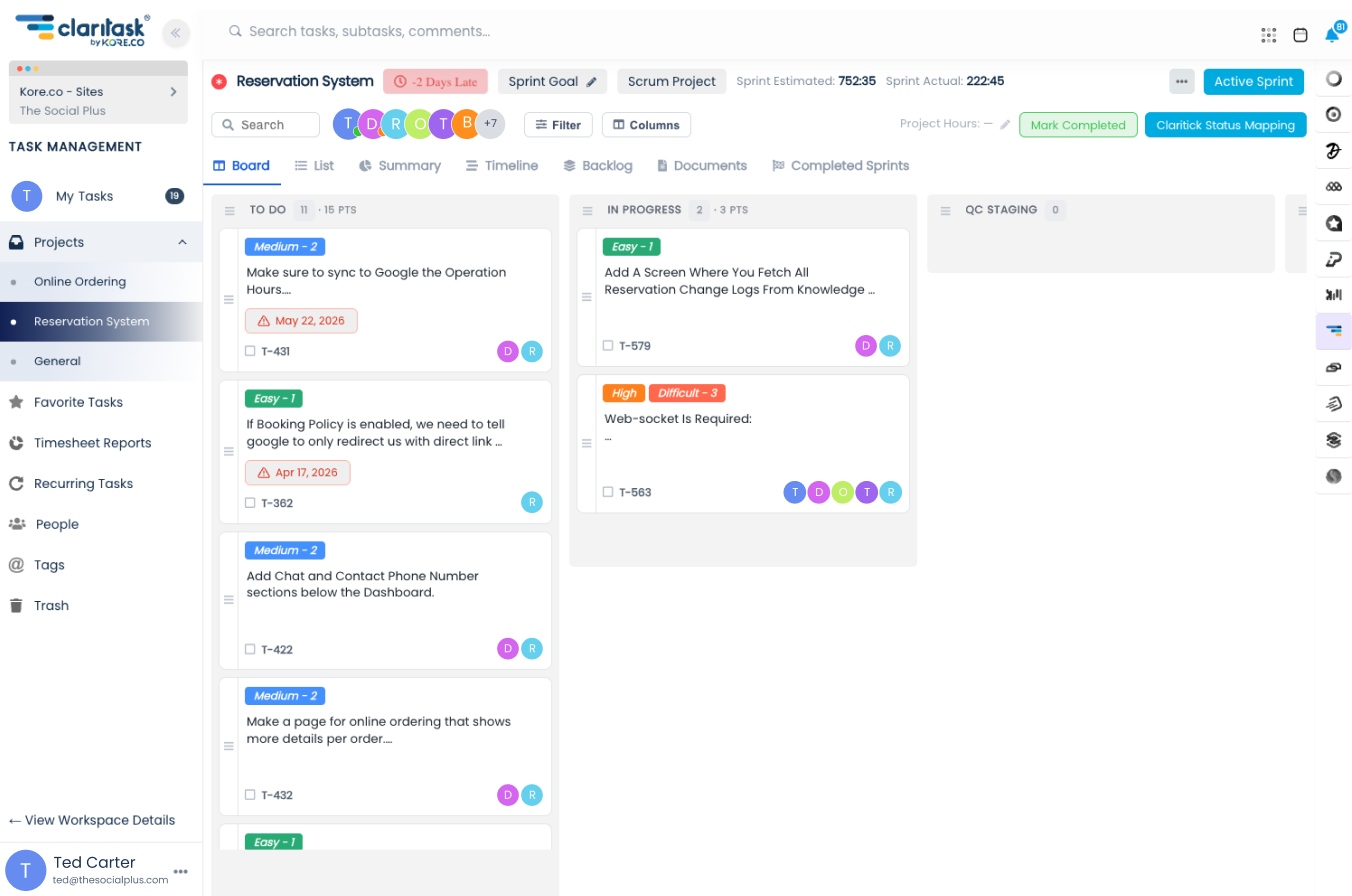
Create the task
Type a name and hit create, from a list, a board column, or your phone. A rich description, checklist, and files can come along for the ride.

Projects, tasks, time tracking, and client budgets in one calm place. Run work as lists, Kanban boards, or Scrum sprints, and always know who's doing what, by when.
$10 per user, per month · 3-user minimum · no contracts


The whole product, for less than most tools charge for a single seat.
Pro-rated from the day they join, cancel any time.
The three-user minimum. No tiers, no per-feature upsells.
Projects, tasks and workspaces are unlimited on every plan.
Four tightly connected areas, no patchwork of apps and no per-feature upsells.
See every featureLists, Kanban boards, or Scrum sprints, with tags, due dates, subtasks, and recurring work.
ExploreHours land right on tasks, roll into timesheets, and export to PDF and Excel in a click.
ExploreGive every client a budget, track hours against it, and print reports they can trust.
ExploreComments with @mentions, followers, files, smart notifications, and client-safe roles.
ExploreOpen a task, tick one off, and switch between the board, the list and the summary, exactly like the real app.
Follow a piece of work through Claritask, exactly the way it moves through your team.
Type a name and hit create, from a list, a board column, or your phone. A rich description, checklist, and files can come along for the ride.
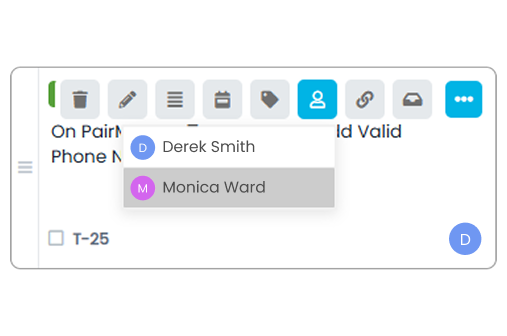
Add one or more assignees in a tap. Everyone you pick is notified instantly, and the task lands in their personal task list.
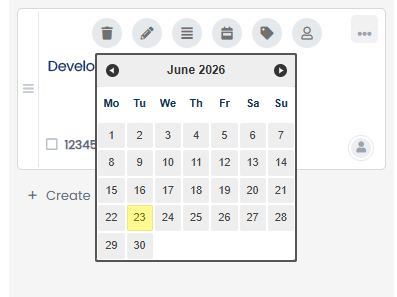
Give it a deadline and a color-coded priority or tag, so it sorts itself onto the right board, filter, and report automatically.
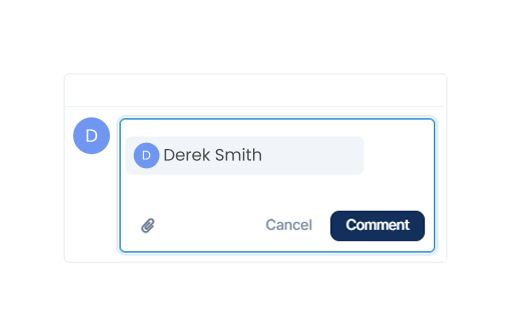
Discuss it right on the task. @mention a teammate and they're pulled in instantly, by push and email, with the full thread one tap away.
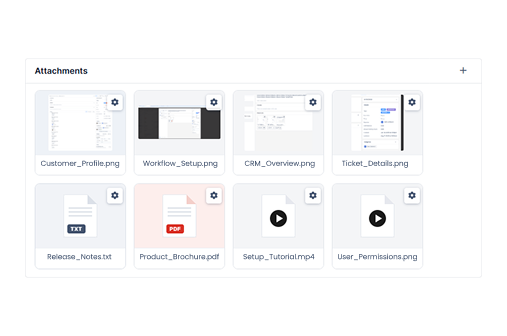
Drag in mockups, docs, or screenshots. They stay attached to the task and show up in the workspace's central file repository too.
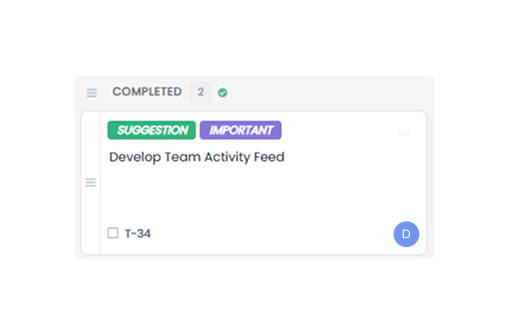
Close it out, the hours are logged, the activity timeline records who did what and when, and it's recoverable from Trash for 30 days.
No add-on marketplace, no premium tiers for basics. It's all in the box.
See every stage of work as columns and drag tasks across as they move. Boards stay fast and readable even when projects get big.

Plan sprints with goals and dates, pull tasks in with estimates, and watch estimated vs. actual hours as the sprint burns down.

Weekly reports, monthly invoices, daily standups, set them once and Claritask creates the next instance on schedule, assigned and tagged like the original.

Every task is its own thread. Mention a teammate and they're notified instantly, by push and email, with the full context one tap away.

See tasks by due date on a calendar inside Claritask, or subscribe to your personal iCal feed and watch deadlines appear in Google Calendar, Outlook, or Apple Calendar.
Email and mobile push for the things that matter, assignments, mentions, due dates, with do-not-disturb days, quiet hours, and a pause button when you need to focus.

Deleted something by accident? Tasks, lists, projects, and files sit safely in the Trash for 30 days, restore them with one click, exactly as they were.

The same workspaces, tasks, and conversations, on the web app and the mobile app, always in sync.
Boards, timesheets, budgets, and reports on the big screen, built for planning the week and running the day.

Check tasks, reply to mentions, and get push notifications on the go. Installs as an app, works like one.

One plan, everything included. $10 a user, a month, with a three-user minimum.
$10 per user per month with a three-user minimum, so the smallest team pays $30. Everything is included, no contracts, cancel anytime.
Everything is included: there is no tier above this one.
Three-user minimum, so $30 to start.
Count the people who will use it.
4 users × $10/month.
Billing is pro-rated, so adding or removing someone mid-month only changes the days they were on board.
Get startedQuestions about pricing? Email [email protected] or call (888) 744-7388.
We moved three departments off spreadsheets and group chats in a single week. The Kanban boards and sprints fit how we already worked, Claritask just made it visible. Nothing falls through the cracks anymore.
The budgets feature paid for the subscription on its own. Every client gets a budget, every hour lands against it, and at the end of the month I print a report they actually trust. Invoicing went from a day to twenty minutes.
I was skeptical about the $7 guided trial, then someone actually called, imported our projects with us, and walked the whole team through it. We were fully running by day two. That's not something the big tools do.
We've Got Answers.
Not at all. Claritask scales from a small studio to companies running many workspaces and teams, and the price is the same either way: $10 per user, per month, billed for at least three users.
For $7 you get 7 days of full access plus real onboarding help from our team via email, phone, and video. The $7 is credited toward your first month, and you can cancel before the trial ends, no questions asked.
Yes. Roles like Admin, Staff, and Client control exactly what each person sees. Clients get visibility into their own projects and budgets, nothing else.
For most teams, yes. Time is tracked directly on tasks, rolled into timesheets by person, task, category, or day, and exported to PDF or Excel, no separate tracker needed.
Deleted tasks, lists, projects, and files go to the Trash, where they can be recovered for 30 days before being permanently removed.
Yes. Claritask works as a progressive web app and has a mobile app with push notifications for assignments, mentions, due dates, and more.
Yes. There are no long-term contracts. Billing is pro-rated per user, and you can cancel on your own from your company settings at any time.